Skip to content
Monday–Saturday, 09:00–18:00 (Türkiye time, GMT+3) Phone: +90 533 281 23 20 satis@mutes.com.tr
E-INVOICING · E-İRSALİYE

e-İrsaliye (e-Dispatch Note) Requirements and e-İrsaliye with Logo Edge N-Series (Logo Netsis)

e-İrsaliye is Türkiye's electronic dispatch note (sevk irsaliyesi, the document for shipped goods), issued, sent, stored and presented to GİB standards. If the recipient isn't registered, it gets the document electronically or on paper, as it requests. Mutes Yazılım Evi handles e-İrsaliye setup, series and support in Netsis.

GİB regulations decide who must switch to e-İrsaliye and from when; the regulation box on this page gives the current information with its source.

Who does e-İrsaliye apply to?
  • Netsis since 2004
  • Authorized Logo Netsis reseller
  • Logo Business Partner – Solution Development
  • Bayraklı, İzmir, Türkiye
Same legal standing as a paper dispatch note
DEFINITION

What is e-İrsaliye?

The e-İrsaliye application came into force with Tax Procedure Law General Communiqué No. 487. It covers issuing the paper dispatch note as an electronic document that meets GİB's standards, sending it electronically, storing it and presenting it when requested. e-İrsaliye has the same legal status as the paper dispatch note.

Technically, e-İrsaliye is a messaging infrastructure. Dispatch notes that registered users issue in the UBL-TR standard are sent from sender to recipient through a defined data transfer route. If the recipient is not registered for e-İrsaliye, the dispatch note is still issued as an e-İrsaliye and, as the recipient requests, sent electronically or handed over as a paper printout.

REGULATIONS

e-İrsaliye requirements: who does it apply to, and when did it start?

GİB regulations set the e-İrsaliye requirement. They use criteria such as turnover and line of business. Because the scope and start dates have changed through several regulations, we give current information only in the box below.

The date we last checked the information is shown below the box. Before you decide, we recommend also reading the current text at the source link.

HOW IT WORKS IN NETSIS

How does e-İrsaliye work in Netsis?

  1. 1. Turn on the parameter. On the Lojistik–Satış › Fatura › E-Fatura İşlemleri › E-Fatura Parametreleri (Logistics–Sales › Invoice › e-Invoice Operations › e-Invoice Parameters) screen, check E-İrsaliye Kullanılsın (Use e-İrsaliye). The e-İrsaliye functions then appear under the invoice entry menu.
  2. 2. Define the series. e-İrsaliye document series (belge birim kodu) are entered on the Çoklu Seri Giriş Ekranı (Multiple Series Entry screen). You can define more than one e-İrsaliye series; there is only one e-İrsaliye response series.
  3. 3. Save the dispatch note. Check the e-İrsaliye option on the Üst Bilgiler (Header) screen of the sales dispatch note. Whether the recipient is registered is known from the registered-user information that the e-Fatura customer update brings to your customer account cards (cari kart).
  4. 4. Send in bulk. Drafts are listed on the Toplu E-İrsaliye Oluşturma (Bulk e-İrsaliye Creation) screen. You open and check each document and send it if everything is correct. If a draft needs correcting, the document is canceled and a new draft is created.
  5. 5. Track. Each e-İrsaliye carries an ETTN (unique document identifier) and a QR code, both generated automatically by the program. You track the document with this number.
Note: Menu names follow the Netsis version in our guide and are shown as they appear in the Turkish interface, with an English translation in parentheses; your package and version may differ slightly.

Same structure as e-Fatura

e-İrsaliye is turned on from the same parameter screen as e-Fatura and is tied to document series in the same way. A business that uses a specific series for e-Fatura cannot issue an invoice to an e-Fatura user outside that series; the same rule applies to e-İrsaliye series. Defining the series correctly at the first setup prevents sending errors later.
From dispatch note to invoice

Dispatch notes and invoices are managed in the same Lojistik–Satış (Logistics–Sales) section of Netsis. You issue the invoice for goods shipped with e-İrsaliye from your dispatch note records. If the buyer is an e-Fatura user, the invoice is created as e-Fatura; if not, as an e-Arşiv invoice.

WITH MUTES

What does Mutes do for your e-İrsaliye?

We turn on the e-İrsaliye parameter, define the e-İrsaliye and response series, and prepare your dispatch note design. We show your shipping and sales team how to save dispatch notes, send them in bulk and correct drafts in Netsis. If you prefer, we file your e-İrsaliye application on your behalf; if not, we help you during the application.

Afterwards, for questions about sending, series or responses, we provide phone, online and on-site support according to your support package. Ask us about the language of support and training when you request a quote.

We work with eLogo as private integrator (özel entegratör, the GİB-authorized provider that sends your e-documents).

Request a quote for e-İrsaliye setup → See our support packages
RELATED PAGES
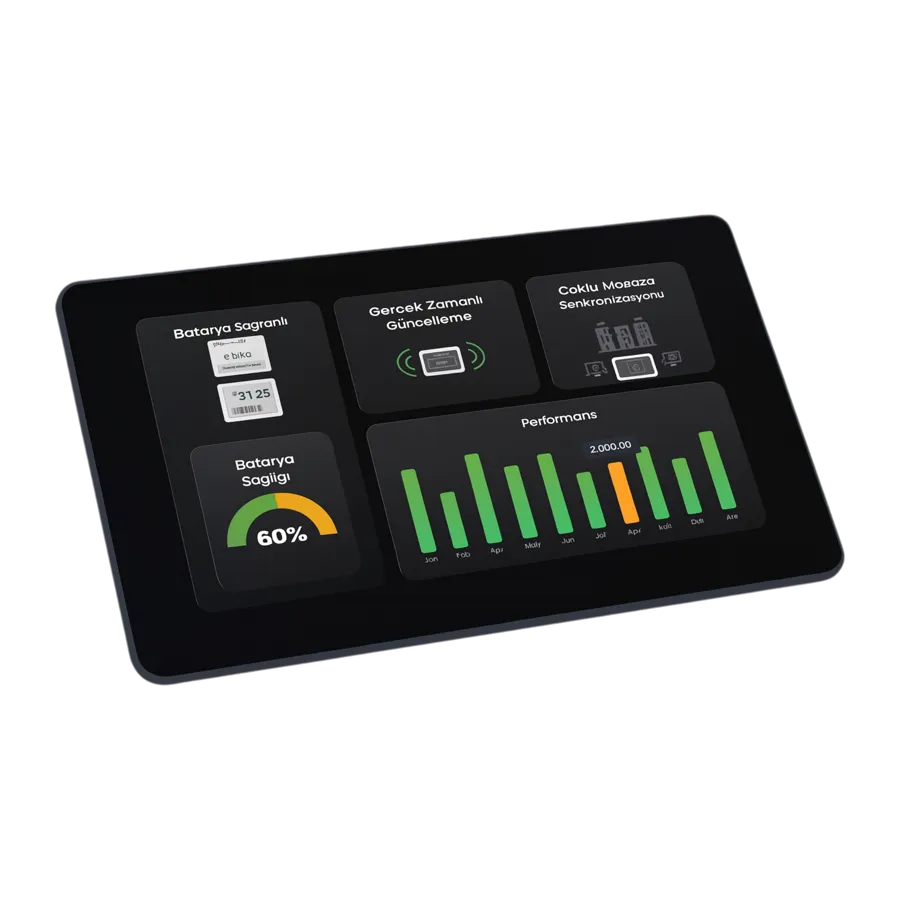
Sales and stock charts on a tablet

Other e-documents

e-Fatura → e-Arşiv → e-Defter → Export e-invoice →

For current account reconciliation: Logo e-Mutabakat (not a GİB e-document)

Frequently asked questions

When did the e-İrsaliye requirement start, and who does it apply to?

The e-İrsaliye application came into force with Tax Procedure Law General Communiqué No. 487; the scope of the requirement and its start dates were set by later GİB regulations. The scope uses criteria such as turnover and line of business. We give who must use it, and from which date, in the regulation box on this page, with the source and last-checked date.

What do I need to switch to e-İrsaliye?

In general, you need to be an e-Fatura user, apply for e-İrsaliye and have software that can issue and send e-İrsaliye. In Netsis, this means turning on e-İrsaliye in E-Fatura Parametreleri (e-Invoice Parameters), defining the e-İrsaliye and response series, and preparing the dispatch note design. Mutes Yazılım Evi makes the Netsis settings; if you prefer, we file the e-İrsaliye application on your behalf, or we help you with it.

Does e-İrsaliye replace the paper dispatch note?

Yes. e-İrsaliye has the same legal status as the paper dispatch note; it is issued, sent and stored electronically. If the recipient is not registered for e-İrsaliye, the document is still issued as e-İrsaliye and, as the recipient requests, sent electronically or handed over as a paper printout.

How do I issue a dispatch note in Netsis?

The sales dispatch note is saved in the Lojistik–Satış (Logistics–Sales) section. If it will be sent as e-İrsaliye, check the e-İrsaliye option on the Üst Bilgiler (Header) screen, then check and send the document from the Toplu E-İrsaliye Oluşturma (Bulk e-İrsaliye Creation) screen. For a step-by-step guide with screenshots, see our Logo Netsis e-İrsaliye guide (in Turkish).

Last updated:

Let's plan your e-İrsaliye switch together

Tell us which Netsis package you use and how you ship your goods. We'll prepare a quote covering e-İrsaliye settings, your series and team training.

Monday–Saturday, 09:00–18:00 (Türkiye time, GMT+3) · Tepekule Mah. 2084/8 Sk. No:39/A, 35530 Bayraklı/İzmir, Türkiye

Choose which cookie categories you allow. You can change your choice at any time with the "Cookie settings" link at the bottom of the page.

Strictly necessary cookies Needed for the site to work securely and to remember your choice.
Always on
Analytics (Google Analytics) Helps us measure how the site is used. If you do not consent, Google Analytics is not loaded at all.
External content (YouTube, Google Maps) Embedded videos and maps load from third-party servers and may use cookies. While this is off, you can still load each item with one click.
Open in a new tab (opens in a new tab)